You probably remember the time when I used to own both of those following 💻s before I own my current one (Lenovo), which those were both 13" Dell and Samsung, respectively... Since both of them were no longer work properly, I decided to take each of their own hard disk drives from them both in order to retrieve MANY of my old archived files from it. However, they both suddenly had their own problem where I was attempted to connect them to my current 💻 using the USB SATA cable, therefore I no longer able to retrieve ALL of my old archived files from them both anymore. Without further ado, let me explain both of those hard drives that came from both of those old 💻, right away.
A. Western Digital 500 GB (13" Dell)
Started off with this particular Western Digital 500 GB one. This was the one that originally came with that ancient 13" Dell 💻 that I stupidly wasted a lot of bucks from 6 years ago. At first glance, it worked reasonably fine, including by how I connected to my current 💻 using the SATA USB cable roughly after a while later since the Dell's LCD backlight screen died. However, somewhere in the last year, it suddenly ran into a problem where it simply bogged down for a whole lot, which caused it painfully slow to load everything on my current 💻's screen, specifically on the Windows Explorer. I tried many ways in order to fix it, but it barely did anything. Right now, I still keep it despite the current state that it has, but I don't think if I eventually decide to plug it on my current 💻 though for the umpteenth time.
B. Toshiba 320 GB (Samsung)
And then, there's this particular Toshiba 320 GB, which originally came from my old Samsung that I purchased back in 2013 (which also replaced my very first laptop, which was that Acer, though the condition of that Acer was okay apart from that weird BSOD itself which I already explained in some of my older Blogspot articles before)... Right after the original LCD screen itself went all white (which was unrepairable, with how the screen's bezel itself was also broken on one of the hinges), I decided to take the hard disk drive itself out from it and connected it to my current 💻 using the SATA USB cable, though I had a lot of "effort" for removing it from my old 💻's hard disk drive's slot thanks to all of those screws that originally screwed it in there. Similarly to that Western Digital one, it used to work reasonably okay, either during the old 💻 that used to equip it was working on it's own for years, or during I connected it to to my current 💻 using the SATA USB cable...... until it suddenly ran into a problem in similar fashion to that Western Digital too, except it now no longer getting recognized with my current 💻. During it occurred, I was attempted to check ALL of my old archived files on it, and then Windows Explorer on my current 💻 suddenly froze instead. Instead of restarting the Windows Explorer during it was in "Not Responding" state, I stupidly unplug the hard drive itself RIGHT in that exact state❗ Because of that, it simply no longer getting recognized with my current 💻. I tried many ways in order to fix it, but it obviously didn't do anything at all, yet it also makes some weird ticking noises from it too when this occurred.
(notice for how severely crooked the 💻's screen is...)
Well then, there you have it for both of those old 💻 hard disk drives that were once worked, but now both of them have their problems that I couldn't even fix them purely by myself. If you know about how to repair them (though it's nearly impossible to fix them both), please let me know particularly about it in the comments section if you're able to. That's basically it for what I could particularly say about this, and pay attention when it comes to treating one of those old physical storage devices like those, otherwise they will end up like both of those that I mentioned there.
This is rather short article that I made here, but imagine if I'd actually doing so instead of owning my current one that I'm using it nowadays? Well, if you may recognize this in few of my older articles that I made from a while ago, you might recognize that old Acer Aspire 4741Z laptop that I used to own since somewhere in 2009 until roughly 4 years later. That laptop had some error where it always went to BSOD all the time, yet the BSOD itself lasted about few seconds until it automatically restarted again by itself until I forced to turn it off. Although I used to bring it multiple times in the large electronic store where I purchased this back in the day, but in the meantime where I encountered that exact error itself, instead of fixing it due to the condition of the aforementioned laptop itself was okay, I stupidly exchanged it with the 2013 Samsung (which I realized if the Samsung had somewhat lower build quality compared to that aforementioned Acer or other brands [including the one that I'm using right now, which is the Lenovo], TBH).💻
(this screenshot has nothing to do with the 💻 that I'm talking about)
Even though I still recognized that exact time where I exchanged it with that crappy Samsung, but imagine if I would keeping it instead of that particular option that I actually did it back then? Well, the answer of it would be obvious, by upgrading some crucial components inside, specifically for storage, RAM, and processor... First off, for the storage itself, that laptop originally had 320 GB of HDD (if I guessed that right). I'd upgrade it with (at least) 128 GB of SATA SSD for the operating system storage, and I'd also reuse it's own original HDD that came with it by replacing the obsolete DVD-RW drive using the HDD itself by installing the aforementioned hard drive itself on a caddy... Then, for the RAM that came with it, it originally had a single 1 GB of DDR3 RAM stick (if I guessed that right too), I'd upgrade it by purchasing pair of brand new 4 GB of DDR3 RAM sticks... Lastly, for the processor itself, it originally had Intel Pentium P6000 (❔). I had no clue about the replacement processor that would work with the entire laptop itself though... As for the random miscellaneous components like the LCD screen, battery, and CMOS battery, I also had no clue if either one of them would be replaced since last time I used it back in those days, they were all in fairly good condition per each of them (though the original battery itself didn't last for at least an hour though, from what I remembered back in those days).💻
Well then, there you have it for my short story that literally explained about it in general. Even though that laptop may seem obsolete on it's own, but that laptop would also have it's own potential if I would keeping it with all of those upgraded components equipped, unless if my budget would enough for doing so, otherwise that would cost averagely similar to the one that I'm using nowadays... If you have your own thoughts regarding to this exact topic, feel free to share your own story in the comments section if your memory serves it right (if you used to have at least one of them in your own). That's it for what I could particularly say about this particular topic, and as always, thanks for reading this short article.💻
After I made my article that literally explained about how's my overall experience with that good old Windows Movie Maker that I recently installed it in my current 💻 that I'm using right now, it's time to retrospect it for a bit by explaining about my overall experience of (supposed to be) it's "successor", which used to be available for pure free since I acquired my own 💻 with Windows 10 installed. Without further ado, let me particularly explain about my about my experience with this particular video editor, right away.
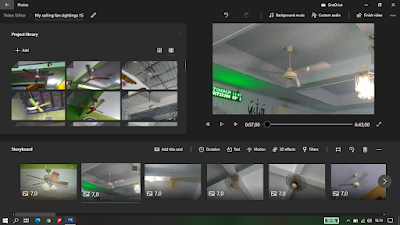
Again, just like that old Windows Movie Maker (even if it looked so different compared to that classic version that everybody would know and enjoyed), there's nothing else that I could say to this particular video editor, apart from the fact this used to be available for free from the Photos app, yet according to some random sources online, it was also known as "Microsoft Story Remix". Yes, it also had limited features just like it's own predecessor that I was talking about, but it had several differences between this and that aforementioned video editor, such as:
Unlike that old Movie Maker which would you to save any of the edited footages into a project file (.wlmp), this one simply saved the edited footages immediately after you close the project itself. Except, any of the selected media files that I included them into it also copied them into certain folders too (for instance, Libraries > Pictures > Video Projects for both picture and video files for some reason, and Libraries > Music > Video Projects for audio files, respectively). 📁
In order to trim or split video footages, it always introduced me to do one of the said ways in it's own separate editing window to do so per each of them both. ✂🎞
In order to add either stock music tracks or any of my own music or sound tracks to certain parts of the edited footage (including how I trimmed certain parts of the music or sound tracks itself), it also introduced me to do it in it's own separate editing window to do so. ✂🎵🎶🎼
In order to add any of stock title cards (or stock captions) that came with it, it also introduced me to do it in it's own separate editing window to select which one that I'd want among all of those ones that were available in there (including that Comic Sans one, ugh).
It had an option to remove black bars on any of my own pictures with (mostly) 4:3 aspect ratio, unlike that old Movie Maker, which didn't have any. 🖼
It also had a feature to add certain 3D objects and certain visual effects that came particularly with it, which most of them had their own unique sound effects too.
Even though it did work just fairly decent as what I expected since I initially discovered it, of course there were some flaws that it specifically had during I tried to edit my own videos on it, such as:
NO option for adding transitions between two pictures of videos at all... Simple as that.
The edited video footages sometimes stuttered for a little bit during I tried to play the edited footages through it's own preview pane, and it also even led into a black screen for a brief moment.
Even if it had cool selection of title cards (or captions), there were no options to customize those texts anyway.
No option for adding both fade in and fade out audio transitions for the videos, unlike how it literally had that particular feature for any of my own music or sound tracks that I added them on it.
The exporting process sometimes stuck, especially during I tried to export my edited video footages that had certain amount of length and quality that I'd export it to (which I usually set it to 1080p).
After I used it particularly as a simple video editor for roughly 2 years, it eventually omitted for real since the Photos app itself literally updated to it's latest version. Even if the Video Editor app is still present until today, it literally redirects me into the newer Photos app itself without the said video editor itself. Instead, it offered me to install Microsoft Clipchamp, which I already experienced it for a little bit in one of my articles that literally explained about video editors that I ever used on my own current 💻 in general. However, I found out the way to revisit it back by downloading it's own separate legacy version of the Photos itself, but I don't think if I'm able to do so for editing even more of my own videos specifically using it for now... Well, if you also have an experience when it comes to editing your own video footages using one of these, feel free to say your experience with it in the comments section if you still recognize it anyway, albeit it's obviously less memorable than that old Movie Maker. That's it for what I could specifically say to it, and as always, thanks for reading this particular article.
Note: You must be extremely careful when it comes to searching and downloading this particular old video editing software from various random sites out there. I'm not guarantee if most of them might offer some sort of fake file installers of themselves that contains any kinds of malware that may harm your computer's or laptop's entire operating system instead.
This ain't my filler article that explains about my previous article that explains about the update of the video editing software that I ever used on my current laptop that I'm using these days in general. However, I recently tried yet another video editing software that is pure free (but not trial), and it is literally the previous iteration of that particular free Windows 10 video editor that is now gone, thanks to how they decided to get rid of it in the latest version of the Photos app, unless I'd love to use the Microsoft Clipchamp instead, which I also clearly stated it briefly in the same update article of those video editors that I ever used in my current laptop... Okay, of course you probably mentioned this particular iteration of the said Windows's official free video editor before, the old Windows Movie Maker. Even though I recently use it for a bit for basic video editing (which basically just it), but I already found some of my short results when it comes to how I'm recently using it. So, without further ado, let me explain particularly about my experience with this particular old Windows video editor, right away. 🎞
There's nothing else that I could particularly say to it though, apart from the fact how Microsoft no longer supporting this particular video editing software back in January of 2017. Well, that doesn't stop it by how I was able to search it online by simply downloading the software itself until I found the installer file itself in particular, called "Windows Essentials 2012" (wlsetup.exe). With the old .NET Framework 3.5 that was already installed on my current laptop's Windows 10 operating system by default since I acquired from then (or I did it somehow by downloading and installing it particularly from one of those monthly updates from Windows Update, oh boy), it's not really a big deal for installing it either way (unless if it wouldn't present yet, I must download and install it anyway, otherwise it wouldn't work at all)... There were certain options for installing certain programs that was bundled with the "Windows Essentials 2012", such as Messenger, Mail, Writer, and most importantly, Photo Gallery and Movie Maker. Of course I obviously just chose Photo Gallery and Movie Maker only, because why not. 🎞
Upon I successfully installed and decided to open it, there's nothing else that I could particularly say to it as it works just fairly okay, until I decided to have some fun by importing some of my own photo and video files on the project file. While it literally has limited features unlike majority of the other kinds of video editors that I mentioned in those two of my article that explained about my experience of me using them, it does it's basic job as what I expected for (ranging from all kinds of basic editing that I can deliver on it, until how I'm able to export my edited video footages from it just fine), albeit the UI of it looks so different compared to the beloved classic version that used to exist in everybody's computers or laptops with Windows XP/Vista installed back in those days. Even then, this particular video editor is somewhat better compared to that free Windows 10 video editor that used to exist, thanks to how it obviously has certain features that didn't present in that free Windows 10 video editor, being one of them is the transitions between two photos or videos (albeit you can only set it between from 0.5 seconds to 2 seconds though)... Again, it does it's own basic job when it comes to editing my own videos in general, but it does have certain flaws while I'm editing any of my own video footages on it. Those are:
It takes a while to import certain video files with higher resolution and larger file sizes.
The edited video footage sometimes drop some frame rates while I'm tried to play it through the preview pane, unless I have to "fix" it specifically using two options from the settings of this whole video editor (can you guess about what are those two options that I'm talking about, although if I somehow "fix" it through both of those said options, it eventually leads into another problem where the whole software itself just performs partially unstable).
While I put some music tracks or sound effects on the project, it's so awkward while I tried to move those bars around it no matter what.
No option for adding shadow effects on the texts.
No "Picture-in-Picture" option, and so for how it doesn't have an option to remove black bars on the pictures that I added them on the project.
No option for turning the main editing pane from both storyboard and timeline modes, which used to exist in the classic Windows XP/Vista versions of it.
While I'm applying certain hefty stuffs to the project that consists of (mostly) certain edited video footages, it sometimes causing the whole program itself to freeze and crash. It also makes the matters worse once it crashed, it sometimes refused to open until I must restart my whole laptop's operating system in order to make it work.
Well, there you have it for my experience of me using this old Windows Movie Maker in general. After that actual riddance of that free Windows 10 video editor, I don't think if I'm able to find yet another free (but not trial) video editing software that may work just decently on my current laptop with it's own modern day 🥔 specifications, just clearly stated as what I already explained in my previous articles about themselves... If you have plenty of good memories when it comes to editing your own video footages using one of these, feel free to say your experience with it in the comments section if your memory still serves them right in your own mind. That's it for what I could say to this, and as always, thanks for reading this particular article. 🎞
(Not my picture, but it belongs to somebody else who got this BSOD)
Note : Yes, I actually have my own picture of BSOD that occurred on one of my laptops that I ever owned, but unfortunately, I posted it on Google+ few years ago until the Google+ itself got shut down later on without downloading it back... So, I decided to put this screenshot instead, even though the error code on this BSOD itself is the same like what I literally saw exactly like so just before...
Well, it's time to explain about something different on tech topics, which is me explaining about certain errors and blue screen of deaths that occasionally happened in every single of my own Windows laptops that I ever owned from then until today. There are plenty of certain errors and BSODs that I encountered from the past until today, especially for my first two laptops that I ever owned with their own poor specifications (unless I'd love to upgrade either one of it's own guts anyway). Anyway, without further ado with it, let me explain about my short stories of certain errors and BSODs that were occurred through all of my Windows laptops that I ever owned from then until today.
A. Errors
There are plenty of errors that I ever spotted on my laptops in general, mostly occurred in some of my older ones with their own poor specifications. Here are bunch of my traits about certain errors themselves that I referred them to:
First off, sometimes the whole system just bogged down a lot, which causing it performs so poorly (judging by the fact I checked it through Task Manager, the CPU always goes on 100%, freaking all the time!). When that happens, it occasionally makes weird "pup" sounds every time I tried to click anything, or on most cases, the cursor sometimes can't reach the taskbar or it stopped responding for a moment... The only way to fix it is obviously just force shut down the whole system, and it would probably fix it entirely. Or, on the worst cases, it would occasionally trip into BSOD instead until I must force shut it down.
Another error that caused the whole system just bogged down a lot, which involves certain programs that I downloaded them from an internet, especially from the shady sites where I downloaded them from. I tried to open it, the whole system just doing that. Even I tried to delete it, it keeps doing so as well (until I finally able to get rid of it off, slowly)... There was also another behavior of the (almost) similar problem, but it occasionally occurred during I tried to open certain heavy programs, then the whole system suddenly bogged down a lot or completely stuck.
Some older programs that intended to run on older versions of Windows would simply crash. Remember my old and popular post of me explaining those old 64 GameHouse games that were available on one my old laptops with Windows 7 installed? Most of them just wouldn't work on it or newer versions of Windows for very obvious reasons.
Certain errors that involves me tried to connecting my laptop into my home Wi-Fi network, ranging on the way how it simply won't connect due to glitched options, IP address conflict (sometimes, especially for my good old days with Windows 7 yet accordingly to what it literally said), and so on.
Certain severe system bugs or glitches that I couldn't recognize on which programs or system features that causing that to occur.
B. Blue screen of death (BSOD)
From what I remembered, I spotted at least two BSODs on my laptops from then until today. Although one of them may happen sometimes, but the other one was definitely the most frightening one that I ever seen so far. So, here are two moments about how the BSODs on my laptops occurred:
First off, when I'm doing certain tasks with sounds (such as playing media files, playing games, or even online streaming stuffs), the whole system just suddenly freezes with the way how the sound also freezes as well. Then, after few seconds later, it triggers the BSOD... FYI, the one that I ever caught back from few years ago had an error code on it's own BSOD, which was Kernel Data In-page Error. Probably because I have too much force multitasking that caused it triggers like so? I think so, specifically for my old laptops with their own poor specifications.
Then, here is my most frightening one that occurred on my very first laptop that I ever experienced so far. For absolutely no reason, it keeps BSOD right after I booted up the whole system. Unlike the first one which the BSOD stayed like it should be, this one just simply showed it ONLY for few seconds, then it restarted... It keeps doing it's own looping sequences like so for many times until I obviously force shut it down yet I brought it to the service center to reset it. I couldn't remember the error code on this particular weird BSOD, sadly.
There you have it for my own short stories of certain errors and blue screen of deaths (BSOD) that I experienced on my Windows laptops in general... As for my current laptop that I have right now, I also experienced some of the errors like what I stated above, but not all of them that I ever caught though. Here are bit of my specific experiences with my current laptop related to this topic that I clearly made in this post:
The whole system just bogged down a lot every time right after I installed certain updates from Windows Update, sometimes. Even though I'm able to pause it for a week by accessing it's own settings, there is no way to manually stop it entirely apart from pausing it for a week, specifically for my Windows 10 version that is installed on my current laptop (Home SL)... So, in order to fix it, I have to either shut it down then I turn it on few times, or even restart it few times (if it works straight off the bat without any sudden horrible lags like so). Well, at least it doesn't trip into BSOD though.
A tiny bit of minor problem where I do certain things with sounds (such as playing any media files, games, or even playing any of their online counterparts), sometimes the sound just freezes up for a split second... I ever experienced if my current laptop's whole system just froze the whole system with the way how the sound also froze, but it also didn't trip into BSOD anyway, because I was able to force shut down by simply holding the power button during that occurred.
Another bad experience about how my current laptop also sometimes froze during I opened certain programs in one desktop (mainly for heavy ones like browsers, video editing software, or even games), the whole system just suddenly went stuck, and I couldn't even move my mouse's cursor at all during this occurred... Either way, it sometimes fixed by itself after few minutes; or on the worst cases, it kept doing so until it would trip to BSOD instead, but I was able to fix it by simply force shut down by holding the power button too.
Well, I think that's pretty much it for what I could say about this topic that literally explains about certain errors and blue screen of deaths on all of my laptops that I ever owned, ranging from my very first one till all the way into my current one that I'm using right now. Pay full attention if you want to optimize your computer(s) or laptop(s) properly, if you don't want any of these problems that I clearly listed here will happen in yours too at one day or sooner... Anyway, that's it from what I summed up about this topic that explains about them both cause I literally lost my words (or sentences) and ideas about whatever else that I will tell you next, and as always, thanks for reading this post.
Yes... Ads...... Every time I do certain online things (such as watching YouTube videos, visiting some websites, playing online games, etc.), those random ads always appears. For example, a (or few) random item(s) being listed at an online shop, popular apps, some sort of online jobs, and so on. But, I'm not gonna explain about those basic ones like the ones that are just texts, pictures or simple animations, so I'm gonna explain about those annoying video ads that always appears in majority of the online stuffs that I ever seen so far from the past until today... I did encounter every single of the random video ads in almost any sites, apps or games that I ever played from then until now, but I did spot few of them that are (or were) so annoying, because it always appears so often, yet I can't fix it by personalizing the ads as well. Without further ado, here are lists about video ads ranging from the average ones, till to the most annoying ones that I encountered.
I'll divide into 3 different categories for this topic, one which is for YouTube, the other one is for the ones that usually appears in any of my modern video games that I installed on my devices, and the rest are for the other sites that has any of those.
A. YouTube
Of course YouTube do have a lot of video ads that always appears at almost any of the monetized videos in every single of them that I watched since from a long time ago, unless I'm using an ad blocker to prevent it... Anyway, here are my lists of those video ads that commonly appears on YouTube, divided into 3 levels about how I react to them:
a. Average
Example of a random video ad that I watched on YouTube, yet I categorized as the average ones... Just a video ad of that Panasonic mini-split air conditioner, which was so relatable to my main YouTube channel that made me felt pity to skip it anyway...
Only encountered few of them so far, which are just some video ads that is related to my main YouTube channel that made me didn't skip them due to they're so relatable to both of my YouTube channels that I own (such as air conditioner ads, HVLS ceiling fan ad, etc.). Moreover, I did encounter them during I didn't sign in on either one of my Google accounts... Or did I (from what I remembered).
b. Annoying
There are plenty of the video ads that I encountered them on YouTube that I categorized them as the annoying one. Here are my examples of them:
Video ads of popular mobile games that are skippable (such as Rise of Kingdoms, Lords Mobile, Genshin Impact, Ragnarok, etc.). These are the most common video ads that appears randomly every time while I'm watching any videos on YouTube,
Video ads of cheap mobile games that are also skippable (such as Playrix games [Homescapes, Gardenscapes, etc.], and some unrecognizable ones too),
Certain video ads of popular apps on Google Play that are skippable (e.g.: popular online shops, trading apps [which my country's government just sued most of them though], and other usual apps that are also popular nowadays),
Certain long video ads that are skippable(for example, a short movie ad that has 2 minutes of video length).
c. Very Annoying
Well, here is my most annoying one that I found them on YouTube. So, here is my dreadful list of those video ads that I hate the most on YouTube:
5-second ads that ALWAYS appears way too often. Majority of them that appears are the ones that are based on those popular apps on Google Play (TikTok and SnackVideo are the ones that are appears way too often, as of today), followed by certain super apps that also popular in my country too...
Some video ads that I obviously CAN'T skip, yet they're based on the ones that commonly appears on TV's commercial breaks. Usually comes with either 15 second video ad durations or their shortest one, 5 second ones. While I visit on any following video ads that randomly appear, it directly opens to certain things, such as the following items that they sell on online shops exactly like what they advertised, or other things like some sort of giveaway (but it's rarely seen).
B. Modern Video Games
Any of my modern video games that I ever installed and played, either on both my phone (most commonly) or even my laptop (which is barely seen any, because I never encountered any of them on it), I also encountered bunch of video ads as well... Just like what I mentioned on YouTube earlier, here are my lists of those video ads that commonly appears on my modern video games that I installed them on my devices, divided into 3 levels about how I react to them:
a. Average
Unlike YouTube, there are (or were) none of them... Simple as that.
b. Annoying
I did encounter bunch of annoying video ads on the mobile games. For example, majority of video ads like what they advertised on YouTube, except they associated them with Facebook. There are some other interactive type video ads that being associated by certain third-party domains as well (such as Iron Source or Vungle Privacy). Well, at least I can close them due to all of those video ads do have their own close button for at least 5 seconds after those ads appeared, although at most cases, I always tap the ad itself instead of closing it right away which is annoying! (sigh)
c. Very Annoying
Oh, lord... Of course there are some video ad variants that are so ANNOYING as heck! Just like YouTube with all of those video ads of the same level of very annoying they are; those makes me want to force close the whole YouTube app in order to get rid of them! For example, there is one variant of a video ad that I completely CAN'T close. No matter how it suddenly pops up like that on my phone's screen, there's absolute NOway to close it after 5 seconds or anything like that... Just like those ads on YouTube that I absolutely CAN'T skip (or I must deal with them anyway), I have to force close the whole game, then I re-open it again... Or, if I can play the game without this variant of the video ad, I just simply disable any internet connections, either from Wi-Fi or data connection.
That also counts for certain video ads that also appears (even though I can close them after at least 5 seconds at most cases), but it ended up just crash the whole game by itself! F***! It was commonly occurred on my previous Android devices that I used to own, yet also happens but lesser occurrence in my current Android smartphone that I have right now.
C. Other sites
For the other sites, I also encountered some of the annoying video ads that also appears in anywhere else. For example, if I didn't have the ad blocker on my browser during I opened the Fandom, there are few of video ads that caused me surprised by all of the sudden... During I explored through them, I suddenly heard a music or voices from those particular video ads that annoyed me at random times. There were no way to get rid of any of them though, apart from the ad blocker to prevent it to happen... For any of the random sites besides YouTube and those popular social medias, it's quite rare to encounter those annoying ads at almost any sites, so it's pretty average to encounter any of those though. Although there are few certain sites that I must disable the ad blocker on my browser for certain reasons, that doesn't affect about this anyway since I barely seen any of those annoying video ads anyway.
So, in conclusion... There are plenty of annoying video ads that appears in almost every single website that I visited them since from a long time ago. Ranging from not-so-bad ones which are passable, until to the most annoying ones that makes (or made) me feel so cringe against them. Again, there's no way to prevent any of the ads that appears in almost any websites (including YouTube), because that's how every single of the advertisers wants to do that for obvious marketing reasons per each of the websites. I mean, simple ads like just texts, pictures, or even simple animations are fine, but the video ads are the ones that I have to totally deal against, especially for the most annoying ones that I can't (or couldn't) even skip or close with ease, no matter what kind of those video ads are... IMO, majority of them are occurred on my mobile devices, so that's why there are many of those video ads that appears quite a lot compared to the simple ones. For the other platforms like for my laptop(s), as long as the ad blocker extension is present in any of the browsers that I have, it's all fine, although I must disable it in most of the websites though for certain reasons... No matter how I like or hate them with a passion, those video ads are always appears very often until today (especially for the ones that I can't skip or close them immediately or after 5 seconds). Anyway, that's it for the post that explains about some annoying video ads that appears in every single of the websites that I ever visited from a long time ago until today, and hopefully you can pay attention about this post by the way, if you can deal or get rid any of those though.
After I made my previous titular post related to my YouTube channel of
fan's videos right before this, entitled
"Potato" video quality in my old fan videos, so it's time for me to reveal what kind of video editors that I ever used
for my YouTube channel of electric fans (plus my other YouTube channel that
I have too for extras like toys and some extra stuffs). I know if I edited
most of my videos using different video editors (yet they're so simple),
either from both my laptop or even my smartphone to edit them anyway.
Without further ado, let me explain about each of the video editing programs
or apps that I ever used for my YouTube channel of fans.
Before I explain them... NO! I'm
not gonna explain about Adobe Premiere Pro that I used to edit
videos in certain devices like what I did to some computers in my
apprenticeship place in 2019, and my "old" 13" Dell Latitude laptop
that has it's own LCD screen died in last year. Which means, this particular
video editor didn't count for this, so... Without further ado, here are
lists of video editing programs or apps that I ever used in both my laptop
and my smartphone, right away.
I'll obviously split into two categories for this, the ones for my laptop(s) and
the other ones for my smartphone(s).
A. Laptop(s)_💻
1. Windows Movie Maker
Although I never used this video editor for this particular purpose due to
this was existed in my very first laptop (Acer) with Windows XP installed on
it in around 2009 (before it got upgraded into Windows 7 in 2010), I
actually used this for fun purposes, yet I never exported any of my random
pictures and videos that I had at those good old times... Moreover, even
though I also enjoying electric fans somewhere in 2008-2009, it didn't even
enjoyable as much as what I'm enjoying them nowadays.
2. VideoPad Video Editor
Just like original Movie Maker, I never used this video editor for this
particular purpose due to this was existed in my very first laptop too, but
also existed in my old Samsung laptop as well... Except for one archive fan
video that I recorded from 2014 that I edited using this particular video
editor that I did in 2015, yet I edited using my cheap Samsung laptop.
There's nothing else that I could say to this particular video editor, since
it's latest version of it seems to be complicated compared to my favorite
version of this particular video editor (which was version 2.2, if I guessed
it right), because the latest version of this editor doesn't seem user
friendly to me, despite how simple this video editor is.
3. VSDC
One example of a program that pushed my old Samsung laptop's performance to
its limits, which was this video editor that I installed on it. It is like
cheaper alternative of Final Cut Pro for Mac, except it seems
to be user friendly to me, yet the way how it poorly performed on my
aforementioned old laptop with it's own puny specifications that it had... I
edited few of my fan videos using this video editor, and it was absolute
nightmare. Even I ever made bunch of slideshow videos using it, but still
performed horribly, yet it was prone to crash quite easily. Because of all
of those problems that affected between this video editor and my
aforementioned puny laptop that I had at those times, I would never edit any
of my own videos using this video editor on it anymore, even I forced to do
so for certain reasons.
4. Stock free Windows 10's video editor
After I retired my old puny Samsung laptop due to it's own screen troubled,
so I obviously decided to replace it with my brand new one that I'm
currently using it right now. Since my current laptop has it's own latest
version of Windows 10 installed, it does come with a stock free video editor that
bundled with it too. I put any of my pictures and video clips on it, and it
works decently as it should for how simple it is, yet it reminds me to the
original Windows Movie Maker, but with some enhancements that may (or may
not) include in most of my pictures and videos that I edit on it every time.
Albeit it works decently (yet since this is only the working video editor
that is currently available in my current laptop that I'm using right now),
it does have it's own disadvantages, such as no transition and PIP
(picture-in-picture) features between pictures and videos in the storyboard
line, sometimes it stopped processing while it's exporting (especially for
longer videos [I experienced that just once]), and it only exports edited
videos with 1080p video quality (but it's fine to me).
B. Smartphone(s)_📱
For video editor apps that I ever installed in 2 of my smartphones, not
much detailed information that I could sum up on each of the apps that are
(or were) available or installed, unlike the ones that are (or were) installed in my
laptop(s) just before. BTW, here are quick lists of video editor apps that
are (or were) available or installed in 2 of my smartphones:
Stock video editor, known as Studio Film(Available in Android 4.x): Used for
bunch of my old fan videos in 2015 that I edited them with lowest video
quality. It wouldn't been that bad if I edited them and exported in 1080p
video quality from back then.
Kinemaster: Again, this video editor also used to edit bunch of my old fan videos
in 2015-2016, judging by the obvious Kinemaster watermark that it
had, yet I exported all of my videos with 360p video quality, instead of
720p or higher (if I guessed it right).
Cheap "Video editor" app: Used in few
of my fan videos that I uploaded in December of 2019. I also edited a
local new year's eve 2020 using it too by shortened it's duration into a
minute only in order to post it in my "personal" Instagram account.
YouCut and it's twin, Video Maker (InShot Inc.): I use either former or latter recently for editing fan
videos since last year until today (if I needed either former or the
latter, due to I recently use Windows 10's stock free video editor
instead).
For the bonus of some other video editing software that I attempted to
install in both of my current laptop(s) and smartphone, here are lists of
them for certain reasons that I stated on each programs or apps:
Wondershare Filmora (💻): I was once
attempted to install this video editor on my old puny Samsung laptop.
Because my aforementioned puny laptop did have it's own poor
specification compared to my current one, it did refused to install it
right off the bat.
Shotcut (💻): I was once attempted to try editing some of my video clip
footages it on my current laptop that I'm using it right now, because
it's basically just one of those Adobe Premiere Pro's alternatives.
Since it turned out looked seemingly complicated, I decided to uninstall
it yet I have to stick it with stock Windows 10 video editor that is
available for free since I got this laptop.
VideoPad Video Editor for Android devices (📱): I didn't
edit any of my own videos using this particular video editor app on any
of my Android devices at all, due to the whole UI of the particular video editor itself
looks nearly unusable compared to the PC version that I know. For
example, the timeline pane of this video editor looks way too narrow
compared to it's PC version, due to the size of my current smartphone's
screen that it has (18:9). So yeah, I never install this app anymore due
to the screwed up UI that it has.
VivaVideo (📱): It's basically one of alternatives from certain video editing
apps for Android devices like Kinemaster, YouCut or it's own twin by InShot Inc.. I only edited
one of my fan videos in 2016 using it, then I never come back to edit
more of my own videos using it anymore. Since it also had it's own
watermark like Kinemaster, that was also the reason about why I uninstalled it for good.
Well, there you have it for the video editors for my YouTube channel of
fans, plus for my other YouTube channel that I own as well. Actually,
there are even more of the video editing programs or apps that I ever used
for this purpose, but the ones that are listed in this post here are the
ones that I remembered them back from several years ago until today...
Anyway, that's it from what I can say about another topic that explains
something about both of my YouTube channels that I own, and thanks for
reading this post.
Inspired by my previous post of that old 13,3" Dell Latitude E4310 that I
got from online shop that I paid for roughly 200 bucks for it, then after 3
months later, it's own LCD screen's backlight just DIED!!! Then, I
switched back to my old cheap Samsung laptop from 2013 for a while until
it's own LCD screen also got it's own problem as well, but different
way... For now, I already switched from those two of my broken
laptops into my current one, and the brand of this laptop that I'm using
right now is the Lenovo. Without any further ado with it, let's take a look
at my experience of me with it.
1. General_💻
In case you've wondering about the brand and the model of the particular
laptop that I simply got it from a local laptop store in my hometown, it's
the Lenovo V14-ADA, and I paid for roughly 630 bucks for it... Because it's
so expensive yet I'm totally broke due to I broke those two of my previous
laptops before during usage, so I have to pay it with some sort of money
installment system for it for several months, until I reached amount of
price of it later on. It also has 8 GB of RAM, much like my old Dell
(except they are pair of DDR4s instead of DDR3s), it has Windows 10 20H2
Home SL installed on it (originally it had 2004 version), it has AMD Athlon
3020e processor, yet with Radeon Graphics, and it has 256 GB of SSD, instead
of HDD... FYI, I originally wanted the cheaper alternative to it that has
AMD A4 (which is the IdeaPad 130, I think), but none of the
computer or laptop stores sell any of those due to those laptops were sold
out already, so I decided to buy the V14-ADA with AMD Athlon 3020e instead,
which is slightly better option than that.
2. Results_💻
There are bunch of major difference between this and 3 of my old laptops
in terms of opening certain programs. However, there are few of minor
flaws that this laptop has, although I can troubleshoot it by simply doing
so without any problem... Well, here are the examples of my results of me
using it after a month later, as of today:
Web browsing on it is more comfortable on it, by opening the Google
Chrome or newer Microsoft Edge. Which means, I can open it a lot more
quicker than my Acer, Samsung, or even my old Dell laptop.
File exploring on it is also just fine, not much I can say about it
apart from it only has 256 GB of SSD... Unless I have to put HDD or
another SSD on it, since according to somebody else who knows this
laptop (including my electric fan fellow lovers), it also has an empty
slot for HDD or SSD (or even SSHD), if I'm not mistaken.
Adobe Photoshop (latest version) does work reasonably
excellent.
Playing games (even though I didn't install any games on it yet) will
work just flawlessly, especially for 2D games... However, I have no
idea for heavy 3D games though. Just remember, there are ton of old
games that wouldn't work for Windows 7 or newer anyway, they just
simply crash if you tried to open them.
Google Earth on it does work just decently. Not too good, but it does
it's job just okay.
CorelDRAW (latest version) does work just okay... There are some lag
on it by the way, but still passable.
Playing videos with 720p or higher will work just fine, unlike both
of my Acer and Samsung laptops.
Editing videos with certain simple video editors do work just fine.
There's also a stock video editor that comes with the Windows 10 too,
and it does work just okay... Unless the Adobe Premiere is already
installed on this laptop, which isn't good for this particular AMD
processor that it has IMO.
I also installed the BlueStacks on it, then I play Plants vs. Zombies
2 in there too. It does crash the game for few times like my bad
Android devices that I used to have, but overall, it does open the
aforementioned program just fine after I tweaked it's own
settings.
Many of the other programs that I can't tell about how well they run
this laptop since I never open nor run them quite often, especially
for those programs that comes with the Windows 10 themselves.
3. This vs. Dell E4310's flaws_💻
Exclusive to this one, which is comparing this to my old Dell Latitude
E4310 that had it's own ashamed major flaws. Here are list of comparison
between this and the flaws of that laptop, right away:
While the Dell had an utterly crap battery life (more so than both of
my Acer and Samsung, I guess), this doesn't... Which is a good sign
for such a new laptop anyway, and it last for about almost 4 hours
without any standby (well, depends of my usage with it then).
Annoying "date and time resetting" isn't present in this laptop, due
to it has it's own battery isn't removable, which is a huge difference
between this and that Dell... That also applied with my Acer and
Samsung laptops too, even though they did have their own removable
batteries.
It doesn't crash it's own display graphics driver while I turn it on
from hibernate or sleep, unlike that Dell, which occurred most of the
time.
It doesn't have any static electricity around it too, unless I plug
it to the power outlet all the time using it's own adapter... Unlike
the Dell which had some of them on one side, especially during I
plugged it into the power outlet all the time.
Unlike my previous laptops (especially for that Dell), it doesn't
seem to overheat that much, depends on my usage of it.
It has 3 USB ports just like two of my laptops that I had earlier,
unlike the Dell which only had one. The only difference between this
and those two aforementioned laptops, which is 2 of it's own ports are
USB 3.1 ports, and the other one is USB 2.0 port.
Unlike my old Dell which only equipped with standard HD Audio driver
that came from Windows themselves (which was bad anyway), this one has
Realtek Audio driver on it, which is nice, yet being supported with
the Dolby Audio, which is even nicer. My old Acer and Samsung laptops
also did have their own Realtek Audio drivers on both of them too, by
the way.
4. Flaws_💻
Only one major flaw that this laptop has, which is connecting it into my
Wi-Fi network is kind of tactical. Every time right after I boot it
up, sometimes it won't detect my internet access, and it simply says "No
internet, secured" on it... Until I unplug the router for at least 10
seconds, then I plug it back in, then it does work properly. I have
no idea why this problem occurs sometimes, because last time I connected
my Dell to my own Wi-Fi network had no problems at all (if I'm not
mistaken, and that also applied to my Acer and Samsung laptops too),
unless it detected as an unidentified network... I contacted it to one of
my fellow electric fan lovers through a chat who also have exact same
problem on his newer laptop with Windows 10 like I am, and he has the same
intermittent problem on his laptop too... There's also another flaw
that this laptop has, which is the brightness on this laptop doesn't work
sometimes (probably due to it's being controlled by the AMD Radeon
Software settings itself to look like it has fixed brightness, I guess).
5. Conclusion_💻
Being my first laptop that has a newer AMD processor instead of usual
Intel ones like last 3 laptops that I used to have, this is probably the
best one that I ever picked so far. I know if my previous laptops had
really poor performance, especially during I opened some heavy programs,
for instance, the Google Chrome. While 2 of my old laptops that only had 2
GB of RAM didn't perform well due to sometimes they just simply wouldn't
respond or just crashed that made me want to smash them both with my hands
or tools, this laptop does it's job just well, even with newer AMD Athlon
processor that this laptop has. Even though it only has 256 GB of SSD, it
doesn't matter too, unless I already done something heavy (such as editing
a video that has 30 minutes of video length). The only thing that bothers
me is the problem when I connect it into my Wi-Fi network. Although this
problem exists sometimes, I can do fix it by simply follow the steps about
why this intermittent problem occurs... Overall, this laptop is relatively
great for it's look, it's price, and it's own specifications. It's also a
great replacement from my previous laptops that I previously own for daily
drivers, because again, they were so slow to do any multitasking anyway
(except for Dell, which kind of decent until it's own LCD screen's
backlight died). Obviously I'll hope this laptop will last WAY longer than
my old ones, yet I also hope there's no more for typical errors that
occurred on my previous laptops that I used to have, even though I always
use it for daily drivers as of nowadays... Anyway, that's it for what I can say of my experience with my brand new Lenovo laptop for at least a month as of today, and as always, thanks for reading this post.
It's been a while since I didn't make any new Blogspot posts lately, so I decided to tell you about what was going on with me with that cheap Samsung laptop that I bought from almost 8 years ago. That cheap laptop worked just fine, until all of it's own flaws that I encountered in last few years of service. Until in the late of 2020, that old laptop just went wrong with it's own screen that looked like this:
White screen...
Yes... White! White! And again, WHITE! That's how my old laptop's screen would actually look like as of today. Before I'm gonna tell you about the problem itself, let's take a retrospect about this old laptop that I got from almost 8 years ago until that problem occurred. Here's my story about it, right away:
1. General 💻
In case you've wondering about the brand and the model of the particular laptop that I bought from a local electronic store in around 8 years ago, it's just a Samsung with model number is 300E4V-A01 (according to it's own box), yet it has it's own respective specifications that mentioned below here:
I bought this laptop from back then in order to replace my very first laptop that I ever owned, which was that Acer Aspire 47xx laptop with Intel Pentium processor on it. That laptop got it's own weird problem, such as constant BSODs that occurred many times, yet it's own BSOD itself only lasted just few seconds before it shuts itself off every time, instead of stayed there like it should be until I simply remove the battery or unplug it off... I also felt guilty at that time for buying it instead of fixing the Acer, it's definitely due to that Acer was fixable yet upgradeable, since there were no physical damage on itself from what one of the sellers in the electronic store told me in order to do so. Unfortunately though, I took another way to solve that problem by simply exchanged it with the cheap Samsung laptop with weak "Celery!" processor for roughly almost the same price as that Acer that I bought it back in 2009 from the same electronic store.
2. Performance and results 💻
In the early days of me with this laptop, it performed just exactly the same like my old Acer, except with minor differences. One of the main examples is the way how it's own audio enhancements has an additional feature called SoundAlive, while the Acer didn't (or did it though). Other than that, here are my lists about performance and results about my old Samsung laptop through the years since I bought it until it broke in the late of 2020.
It has Windows 7 64-bit version installed on this laptop, which sounded a bit overkill to me. Because it has a 2 GB of RAM, this and my old Acer didn't do any multitasking with ease.
Playing any audio files on it is fine, no matter what kind of audio programs that I open on it.
Playing any video files is okay, but it does stutter while tried to play any videos that has 720p video quality or higher.
Typing or making any Office related stuffs (such as documents in Microsoft Office Word, presentations in Microsoft Office PowerPoint, and so on) is on and off. Sometimes any of the programs in there just crashed by itself, even they're just 2007 versions that installed on there (well, at least they had an autosave feature when it occurs).
Editing photos with certain programs (such as PhotoScape, Adobe Photoshop, and so on) is also on and off. While most of them do work decently, but on the other hand, sometimes they also tend to crash while it's running on most of the time.
Video editing on it was absolutely terrible. Because it had really weak "Celery" processor and RAM that it had, that's obviously why. I tested the VSDC on it, and it performs... really poorly on it, and it actually wanted to crash it while it's running.
Playing games on it is okay. However, there were good old 64 GameHouse games in it, which most of them wouldn't work for Windows 7 or newer anyway. I played some good old games on it, such as Plants vs. Zombies (of course), Puzzle Express, Airstrike (Divo Games), Collapse Crunch, or even NES games through a NES emulator program (which was the FCEUX). All of them did work just okay as what I expected.
I was once installed a Google Earth on it, and it performed just less than decent. It did crashed for multiple times though.
Browsing anything on it with certain browsers (such as Firefox, Google Chrome) was between on par and subpar sides. Sometimes they tend to crash or gone unresponsive if there are too much background apps running, such as that Avira Antivirus that was once installed on there, which caused the whole system to lag very badly.
It had a BSOD just once, with code: Kernel Memory In-Page Error. This was occurred due to I tried to play anything with sounds on it, then suddenly the system froze yet it went to the aforementioned BSOD itself. At least the BSOD stayed there until I unplug it off.
3. When it broke...💻
Since this laptop was cheaply made compared to my Acer (I think), it started to come apart by it's own in 2017. Started of by one of it's own hinges is broken by itself. Even though I dropped it by accident wasn't the reason about why it broke, I didn't even know about why it occurred... Then, the damage on it was slowly increased overtime, so I just "fixed" it by taping the broken part on it with bunch of tapes. Again, even with tapes on it, the bottom-left of the bezel also got damaged very easily due to the pressure every time I open and close it. Until in the end of 2020, the damage on the hinge itself was caused the screen went all white by itself. Because of that, I felt so worried for that, yet the fact I also broke my Dell that I mentioned in my aforementioned post of it too in the same year.
4. Tried to repair that s**t... Plus my new replacement... 😁
During that white screen problem occurred, I tried to repair that laptop to 3 different computer repairmen. First, it was one of my old neighborhoods, then followed by the same computer repairmen who tried to fix my Dell, and another computer repairmen who works outside my hometown. Unfortunately, NONE of them dared to repair it due to severe damage that it had. Here are the reasons why:
One of my neighborhood simply refused to repair it due to severe damage that it had, even I waited for at least a week to do so.
The same computer repairmen who tried to fix my Dell earlier just refused right off the bat, due to severe damage that it had, again.
Lastly, another computer repairmen who works outside my hometown. I brought it to a small cell phone store nearest from my current house, and I asked to the owner who have a phone number of the computer repairmen itself by showing the damage of my old laptop that it had through a video call. Then, he brought it into the computer repairmen place itself until they checked the condition of it, and... Bah! They also didn't repair it due to severe damage that it had, once again.
Well, yeah... Double trouble for me! Not only the fact my old Dell laptop broke, I also broke this old Samsung laptop too. Until I decided to buy an actual new laptop from a typical laptop store in my hometown, which is this one!
Yes! It's my brand new laptop... Which is the Lenovo V14-ADA. Although it has really expensive price to buy one right off the bat, I decided to buy it anyway using money installment system for it, until it reaches the total amount of price of it. Here's my specifications of it:
Processor: AMD Athlon 3020e with Radeon Graphics
Screen size: 14"
RAM: 8 GB
Storage: 256 GB of SSD
Color: Grey
Although this performs a lot faster than my old Samsung did yet it has newer Windows 10 activated, it did have it's own flaws for a bit, such as connecting into my home Wi-Fi router is tactical. Sometimes it says "No internet access" right after I turned it on, even though my Wi-Fi clearly has it's own internet access (well, if it works though), until I unplug my Wi-Fi router off and plugging it back in for at least 10 seconds. Other than that, it works just well thanks to it's own performance that it has. Right now, I keep searching the simple video editor that almost exactly the same way as the YouCut or Video Guru (both by InShot) would be... 😁
So, what happened to that old Samsung laptop then? Well, I just simply don't do anything to it due to severe damage that it has that caused those three different repairmen were totally refused to repair that messed up thing. I'm going to plan to rescue it's own HDD out to use it as an external HDD, and so for my Dell too (unless the Dell's LCD screen magically works by itself now, but due to it's own flaws that I discovered, so yeah...). And there you have it for my long days with my old Samsung laptop is finally, over... I'm not gonna say anything that much to that old cheap thing, because it's own physical flaws that it has. I know if there were lot of my files and data in there, but whatever... Unless I have an external SATA cable and external HDD's casing in order to do it, so. Anyway, that's it from what I can say to that old Samsung laptop after around 8 years of service with myself from my first time obtained it to the time when it's own LCD screen went all white. Thanks for reading this post, and hope you can pay the attention related to this post.
Okay, so... This was occurred since I decided to replace my old Samsung laptop with it. Unfortunately though, it has it's own flaws, and now it already has it's own issue that I couldn't even bother to fix it at all. I already sent it to the service place in order to fix it, but nope! Everything gone wrong with this laptop that I bought it online, especially for one of the vital parts that it should work just fine like my old Samsung does... So, without further ado with them, let's explain about why I've just embarrassed by this laptop that I bought it online.
1. General
In case you've wondering about the brand and the model of the particular laptop that I bought it online, it's just an old Dell Latitude E4310... I bought it online from one of the local online shops, and I paid around 200 bucks for it. It has the earliest version of Windows 10 Pro (2015), it has 13,3" screen size, and it has Intel Core i5 M560 processor... It also has 8 GB of RAM, and not much I can say about it. Speaking about the story about why I bought this laptop, it's because I thought I was impressed by how much the RAM that this laptop has, so which meant it would run better than my old Samsung laptop. There is also another reason about why I bought this, it's because my old Samsung laptop wouldn't do heavy things very well, especially for editing videos... Again, not much I can say about this particular laptop though, until there are few flaws that I discovered already in this laptop throughout many hours of me using it until one big problem happens to it.
2. Results
Well, what do you know... I thought this laptop would run better than my old Samsung laptop because it has a bigger RAM, but no! Apart from how old this laptop is (which was dated in 2012), there are few surprising results from this laptop. Here are my results of me using it (in terms of bunch of the software programs that I ran on this laptop's system operating itself), from the normal results until the bad results.
Web browsing on it is just fine to me. I can open the Google Chrome slightly quicker than my old Samsung laptop.
File exploring on it is also just fine, not much I can say about it.
Playing games on it isn't that great (I tested the original Plants vs. Zombies on it)... I have to download ThrottleStop in order to stop the throttles and stutters while I'm playing any games on it.
Google Earth on it seems to work just decently. Not good, but not bad either.
I also once installed BlueStacks on it, and it does open the app just decently. Even if I didn't even play any Android games on it.
Adobe Photoshop (newer version) on it does work just reasonably fine.
Adobe Premiere Pro (CC 2015), it does work but of course it has some problems while I edit videos on it every time... One of the examples is being the audio hardware interface keeps overloading at the most of the time; every time I play the edited footage on it and that message appears quite often on the events window, so I have to increase the latency in order to solve it, but nope, it doesn't work. Even the other options that I tweaked on it's own settings, but then again, nope!
Many more of the random programs (or apps), that I couldn't even tell about how well they run on this laptop since I never run them nor I run them quite often... Either they do work properly, but also they don't seem to work (usually it has usual "... [program] has stopped working" message)...
3. Flaws
It's hard to believe if this laptop has it's own flaws as well... I thought I was like, "This old laptop would work as good as the ones in my current school would be. Although the ones in my current school are completely different models, unlike this one"... Well, yeah, but since there are flaws that keeps bothering me while operating it, so... Not much additional action that I will take to them because I always sick by them, so... Anyway, here are the flaws that this laptop has, right now:
First, utterly crap battery life. I already suspected about how crap the battery life of this laptop is... For example, the battery's percentage was on 82%, but then immediately went down drastically by itself into 0% within a second. Before it got emptied like that, the battery somehow only lasted less than least 30 minutes...
It only has one USB port.
Annoying "date and time resetting"... This always occurs while the laptop itself isn't powered by either battery or the plug adapter, probably due to it doesn't have it's own built-in backup battery-ish thing like my old Samsung laptop does... It keeps resetting the date and time itself back in 2012. All I have to do against this problem is of course, I have manually set the current date and time in the BIOS settings itself... Freaking all the time when this happens!
Almost every time I turned it on from either hibernate or sleep, the display graphics driver just stopped working, but it does recover immediately by itself.
There's a little static electricity somewhere on the laptop itself, even I plugged one of the earphones into this laptop does have little static electricity as well. This always happens, especially when I plug it with a plug outlet all the time.
No 4 rubber feets on the bottom on the laptop itself, since I bought it used from online shop.
Some obscure stuffs are still present on this laptop... One example is being the obscure tray with an "EC" logo near it, don't know what does it mean. Another example is being the other obscure tray hole with a "SC" logo near it too. External sound card? If yes, no wonder why it doesn't sound good, yet it's a bit silent (in my opinion).
Since this is one of the old laptops, it will overheat quite badly if I use it too much, especially certain examples like exporting a whole video sequence from Adobe Premiere Pro, the centrifugal fan inside it runs so fast, yet it'll feel so hot around one on the sides on this laptop. I even poured a pinch of water on the part where it overheats, and it got boiled and dried just less than 30 seconds.
The speakers on it sounds not too loud, yet it only has standard HD Audio sound card from Windows itself... However, if I installed Equalizer APO on it, it does amplify the volume of it just like my old Samsung laptop (which obviously has dedicated Realtek HD Audio sound card, yet it also has SoundAlive feature too)... However, if I increase it even more on the aforementioned equalizer program itself, sometimes it overloads, especially for anything that sounds way too much bass... Even Adobe Premiere Pro that I installed on it says the audio hardware interface overload, I'm not sure if that always happens due to that, even I already seen that warning bunch of times just before I installed the Equalizer APO on it... Probably the very poor GPU that it has in order not to make it work properly? Presumably yes.
4. When the LCD screen's backlight dies... (and conclusion + extras)
Apparently, in it's peak day about when this laptop's LCD screen's backlight got stopped working, it used to work just fine like it should before that occurred... Although it used to work just fine, of course the flaws of this laptop were still present...... Until it's own LCD screen's backlight died... Yes, literally... It's own LCD screen's backlight gone wrong for some reason, it's just simply doesn't light up anymore. I could see anything on the screen with the flashlight that lights into the screen, but still, I can't have that... I already tweaked about the brightness of the laptop's LCD screen's backlight itself, even on the BIOS too, but nope! Still doesn't work! So which means, there you have it for this "new" (old) Dell laptop that I bought it online. For the additional action that I did to the laptop itself, here are two actions that I did to it:
I already brought it to the service center, closest from my old neighborhood. I asked some person in order to replace the LCD screen's backlight. Since it's one of the rarest size and models yet I would pay around 107 bucks for it, they didn't repair it due to there's no particular screen available for it's own size and model. Even they were already contacted the supplier who sells laptop's spare LCD screens, but then again, nope.
I also asked to the online seller who sells bunch of those laptops... The only thing that he can do with this laptop is of course I have to send it to him in order to repair it yet I would only pay 32 bucks for it, not selling it away to him... But, I still bothered by how guilty I did to this laptop, because I thought this laptop would work properly like what my current school has few of those laptops of the exact same brand (but different models though), but nope! It's just gone wrong by this LCD screen issue that got struck into it.
So yeah, there you have it for my experience with this "new" (old) Dell laptop that I bought online... Yeah, as if... Again, I thought this laptop would work properly like what my current school has few of those laptops of the exact same brand, but then again, nope! It's just gone wrong, and I felt so guilty about it... Right now, I simply left it without any usage at all, until I have to salvage the important parts that are left on it, such as RAM and the HDD that comes with it, so I hope I can transfer those parts into my old Samsung laptop... Speaking about my old Samsung laptop in it's current condition, I also tell about it's own current flaws as well, aside from one of it's own LCD screen's hinge got busted already. Those are:
It doesn't seem to charge it's own battery anymore. So which means, I completely force to use AC adapter in order to make it work properly.
It's still has old Windows 7 operating system, but it does work just fairly well since I activated it using third-party program that I did around 7 years ago, instead of activating it in the usual way using the product key.
Both of it's own internal speakers are busted already.
Since it only has 2 GB of RAM and weaker processor, it does have a lag while I'm doing certain multitasking stuffs. Unless I have to install certain programs in order to make it slightly better (such as CCleaner, ThrottleStop, and an old program entitled MZ RAM Booster). Obviously, no way for doing heavy stuffs, such as editing videos. It'll lag very badly if I do that, especially for playing the edited video on it. Or even on the worse cases, it'll stop the whole program entirely, yet there's no auto-save of it.
And yeah, that's what I can conclude about my bad experience with my "new" (old) Dell laptop, yet I already listed about some flaws of my old Samsung laptop as well. That's it for what I can say about this bad experience that I did to it, and hope you can pay the attention, yet you can learn the lesson about this experience that I did to it.